OmiSplit · for iPhone, iPad and Android

Split group expenses. Private by design.

Scan receipts instead of typing, settle up fairly with few payments – and your groups live on your device first.

No tracking, no ads, no subscription.

OmiSplit App-Icon

OmiSplitOmiSplit

Group expenses · by OMIVANTA

  • Download on the App Store
  • Get it on Google Play

Been invited? Install OmiSplit and enter the code from the message under “Redeem invitation”.

A look inside the app

Balances at a glance, receipts assigned, settled up fairly.

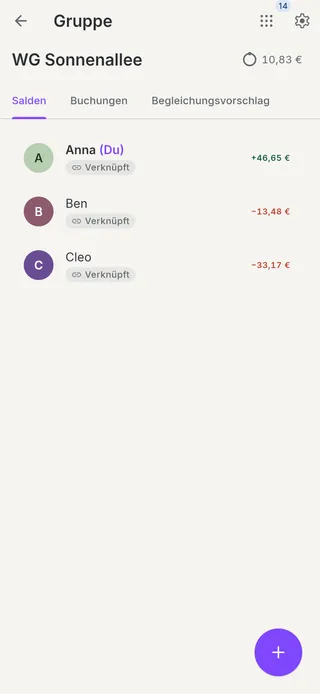
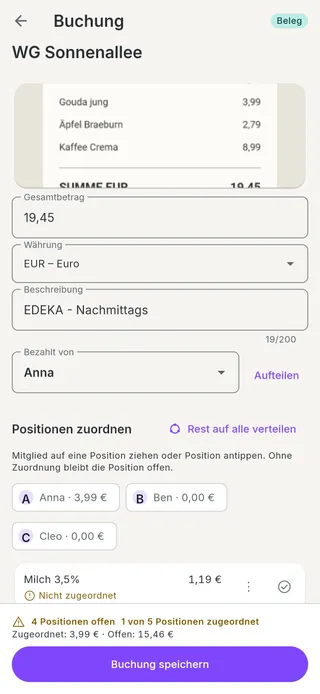
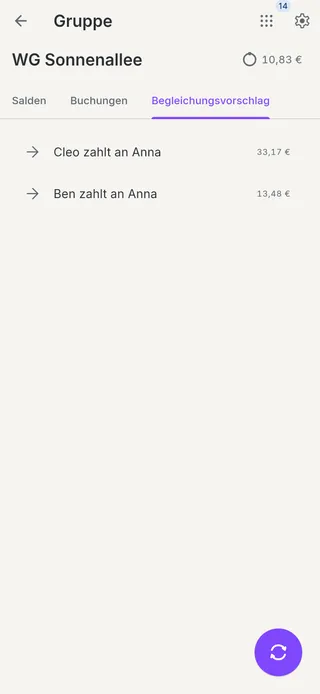
Who is owed and who owes, a photographed receipt with its items assigned, and the settlement proposal with few payments: this is what it looks like in OmiSplit.

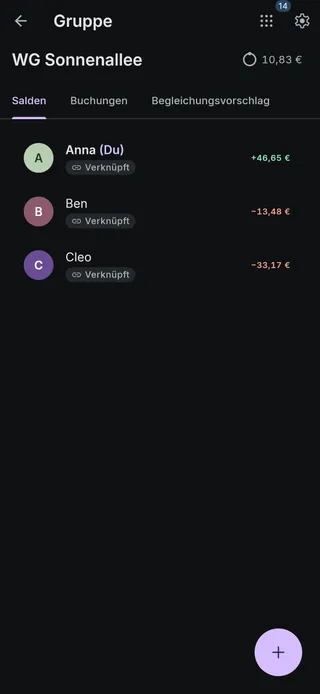
  • OmiSplit screen: balances of the group WG Sonnenallee – Anna gets €46.65, Ben owes €13.48, Cleo owes €33.17OmiSplit screen: balances of the group WG Sonnenallee – Anna gets €46.65, Ben owes €13.48, Cleo owes €33.17
    Balances
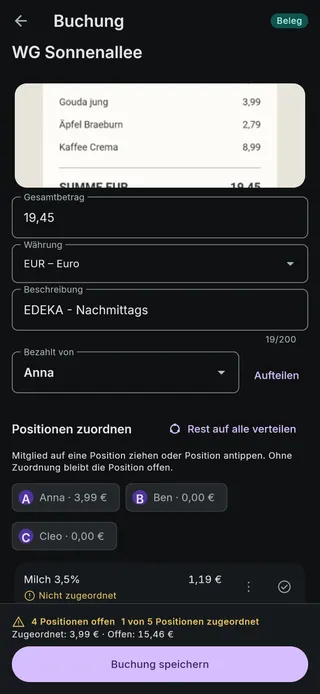
  • OmiSplit screen: expense with a photographed receipt, total €19.45 and items being assigned to the membersOmiSplit screen: expense with a photographed receipt, total €19.45 and items being assigned to the members
    Assign receipt
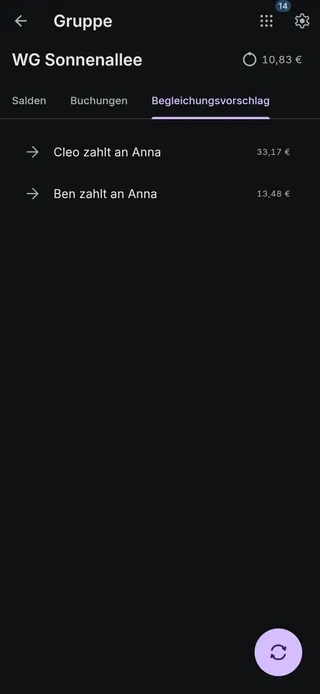
  • OmiSplit screen: settlement proposal with two payments – Cleo and Ben pay AnnaOmiSplit screen: settlement proposal with two payments – Cleo and Ben pay Anna
    Settlement proposal

Why OmiSplit

Money among friends needs clear rules.

Private by design

Your data lives with you first.

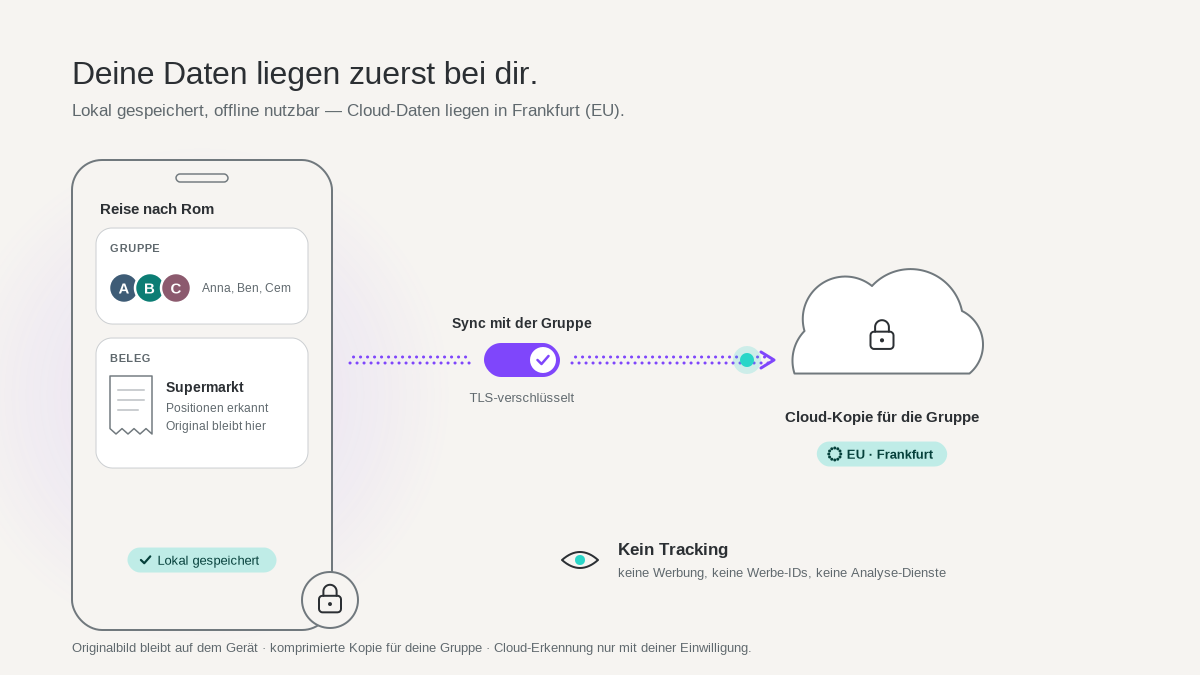
OmiSplit works offline-first: groups, expenses and receipts are stored in a database on your device. What you share with your group goes to the cloud – TLS-encrypted in transit, stored in Frankfurt (EU).

  • No tracking, no ads, no advertising IDs, no analytics services.
  • A receipt is only processed externally with your consent – once or always, changeable at any time.
  • Data export and account deletion right in the app.
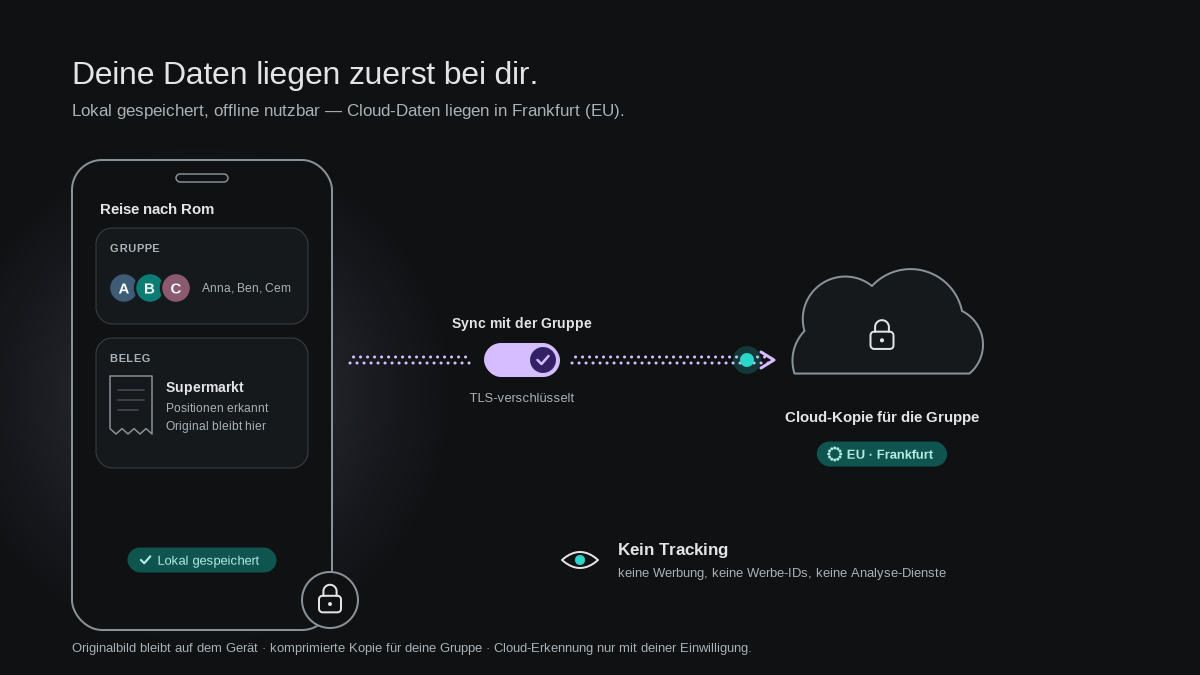
Illustration: group and receipt stored locally on the phone, the original stays there; a TLS-encrypted copy for the group goes to the cloud in Frankfurt (EU) via sync; the note “No tracking”.Illustration: group and receipt stored locally on the phone, the original stays there; a TLS-encrypted copy for the group goes to the cloud in Frankfurt (EU) via sync; the note “No tracking”.
Tap to enlarge

Scan receipts

Snap a photo instead of typing.

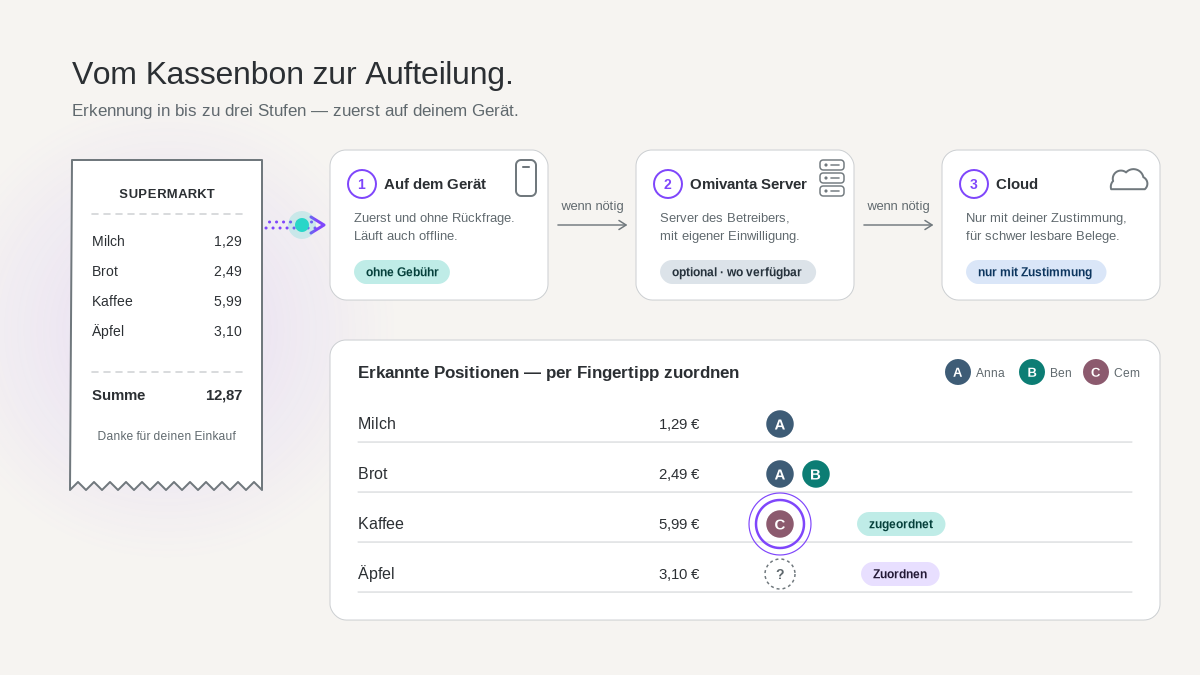
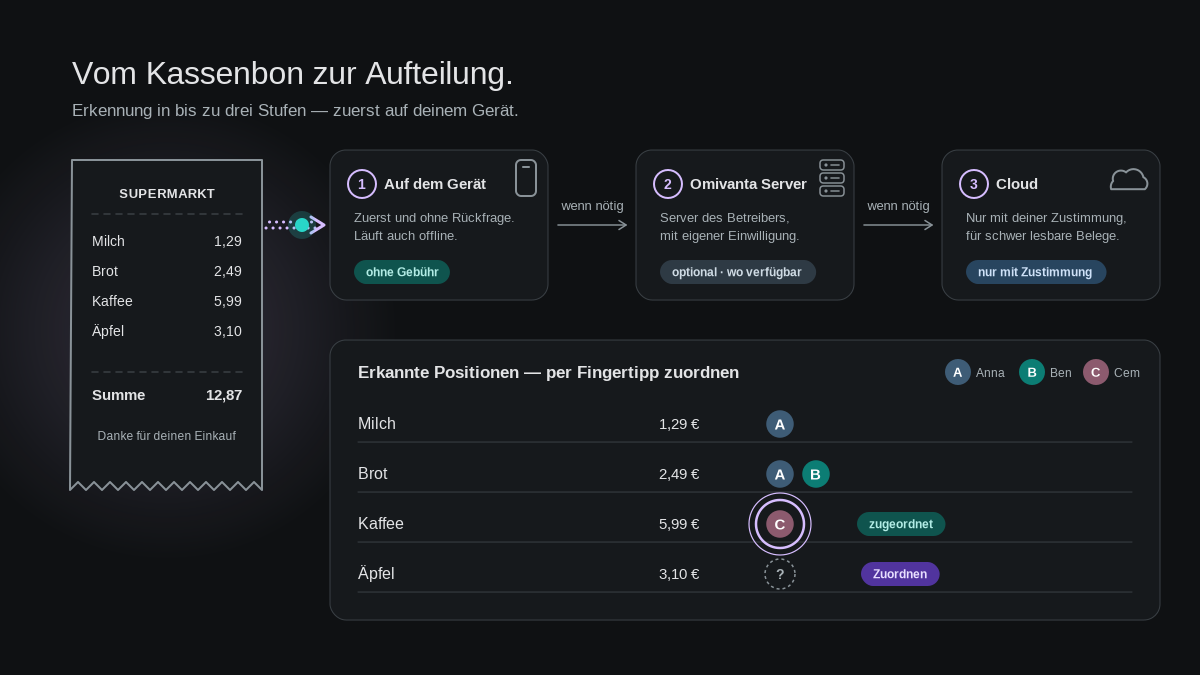
Snap the receipt – OmiSplit reads the items. Text recognition runs on your device first. Then you tap the items it found to the right people: bread for Anna and Ben, coffee just for Cem.

  • Items, bottle deposits and discounts, quantity × unit price, tax, service and tip.
  • Plausibility check: items and surcharges have to add up to the total – otherwise a notice shows the difference.
  • Every recognition step can be switched off. The receipt is then attached to the expense as a photo.
Illustration: a receipt is read in steps – on the device first – and below it the items found are assigned to Anna, Ben and Cem with a tap.Illustration: a receipt is read in steps – on the device first – and below it the items found are assigned to Anna, Ben and Cem with a tap.
Tap to enlarge

Settle up fairly

Down to zero with few payments.

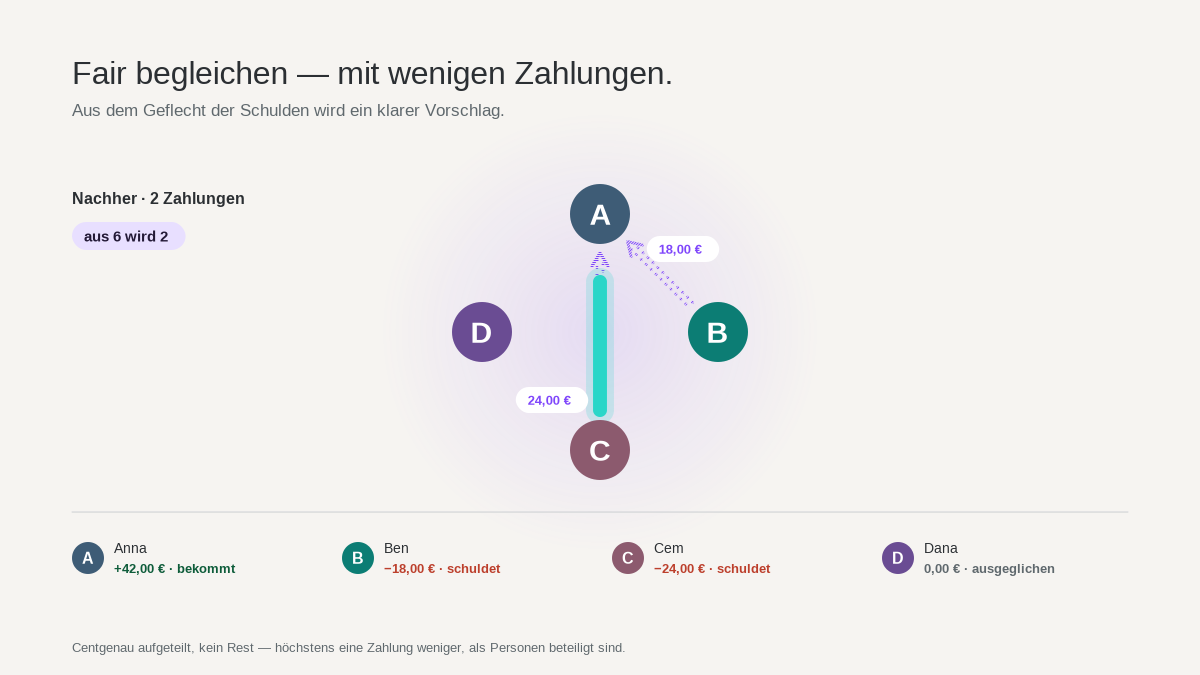
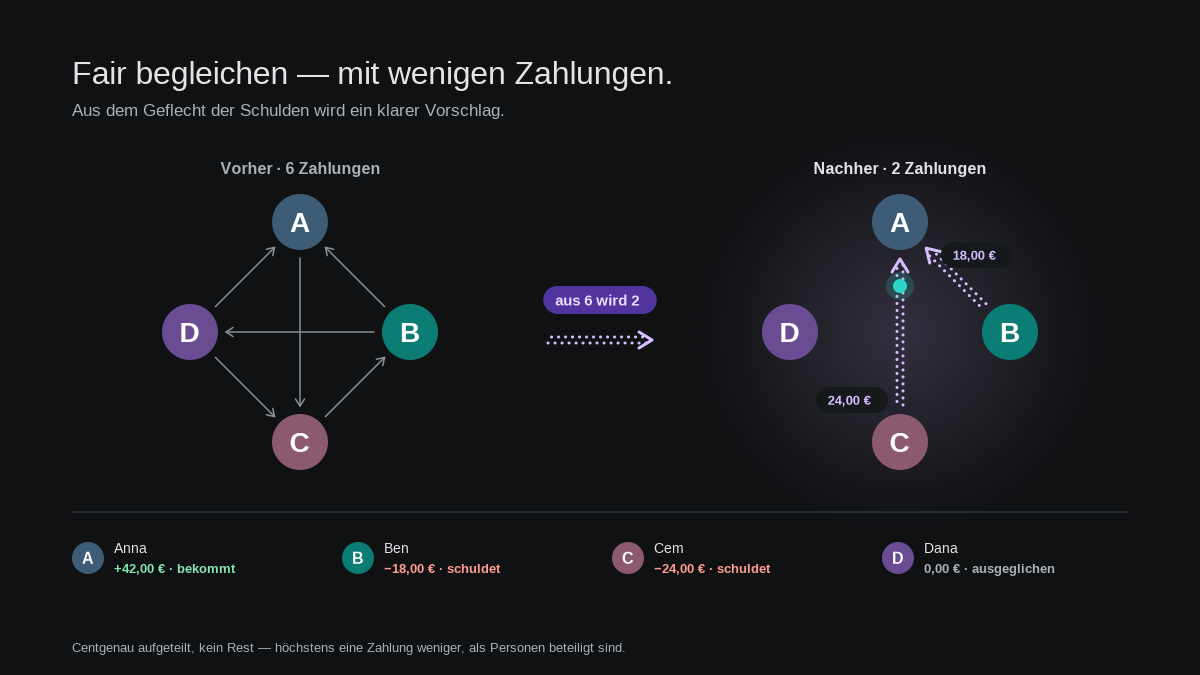
Balances update with every expense. At the end, OmiSplit suggests who pays whom and how much: for n people, at most n − 1 payments, and after that every balance is exactly zero.

  • Money is calculated in whole cents, never with decimal approximations.
  • The shares of an expense always add up to exactly the amount.
  • Split equally, by percent, by amount or by factor.
Illustration, animated: a tangle of six payments between four people becomes two – Ben and Cem pay Anna, Dana is settled.Illustration, animated: a tangle of six payments between four people becomes two – Ben and Cem pay Anna, Dana is settled.
Tap to enlarge

How it works

Four steps from the receipt to “All settled up.”

  1. Create a group and invite people

    Choose a name and a base currency, done. You invite members with a code – eight characters, valid for five days – or share a link.

  2. Add an expense

    Type it in or photograph the receipt. Both end up in the same editor; the amount is the sum of the items.

  3. Split

    Equally, by percent, by amount or by factor – or each item on its own to one or more people. An expense can have several payers, too.

  4. Settle up

    The balances show who is owed and who owes. Confirm the settlement proposal, and it says: “All settled up.”

Who it’s for

One group per occasion.

Trip, shared home or club: every group has its members, its expenses and its balances.

  • Trips

    Every expense in its own currency; the rate for the receipt date is pre-filled. The currency lens converts price tags, and the restaurant bill is split item by item.

  • Shared homes

    Categories for rent, groceries and more, series for recurring expenses, and a reminder when balances have been open for more than 14 days.

  • Families

    Several members form a family within the group. The overview counts them together, and when settling up, the head can pay and receive for everyone if you like.

  • Clubs, teams, events

    Roles for Owner, Admin and Member, placeholders for people without an account, member report as PDF and CSV. After the event, the group is archived and stays readable.

  • Couples

    Direct payments from person to person, balances at a glance, settle up with one tap. Amounts can be hidden in notifications.

Features

Also on board.

  • Multiple currencies in one group, 58 to choose from, rate can be overridden
  • Several payers per expense
  • Add expenses offline, sync status on every expense
  • Statistics by month, by year or overall
  • Statement as PDF, data export as JSON and CSV
  • Invite by code or link, revocable at any time
  • Retention period for receipt images per group
  • Five languages: English, German, Spanish, French, Italian
  • Light and dark, contrast of at least 4.5 : 1, text size up to 200 %

Honest pricing

No subscription. You pay for usage, not time.

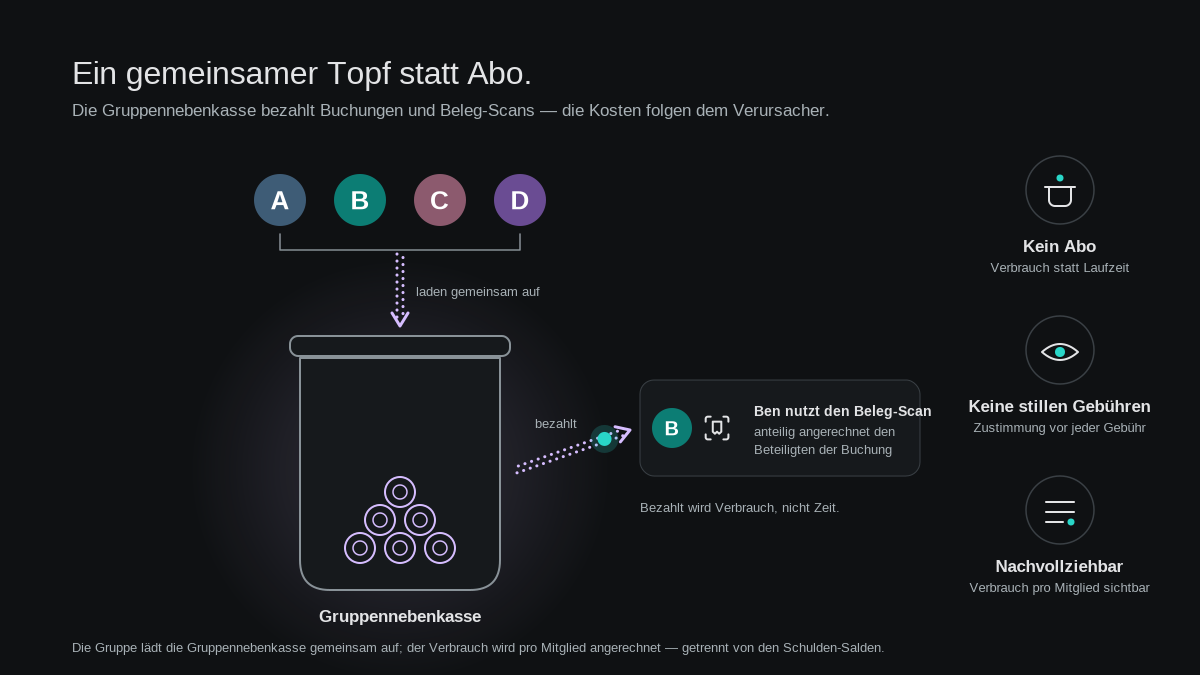
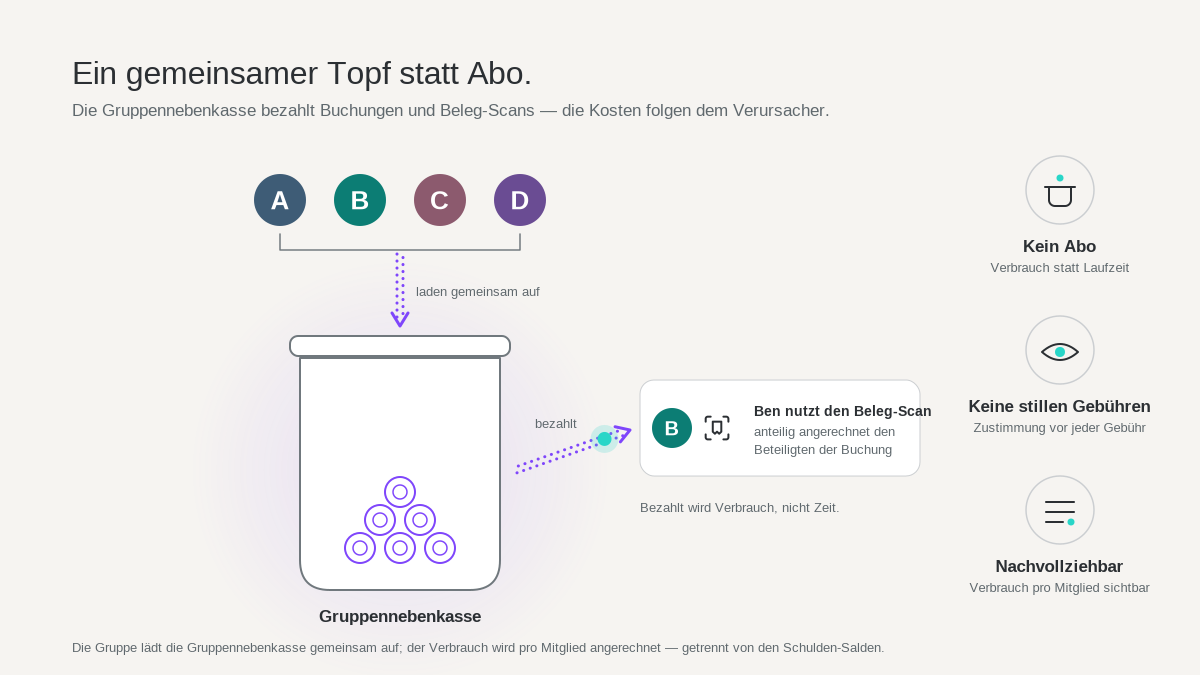
Every group has a group side fund. It pays for that group’s app features – expenses and paid recognition steps. The members top it up together.

Cost follows cause
The fee for an expense is borne by the people in it, in proportion to their shares. Creating a group is paid for by all members together.
Fees only where they arise
Editing, deleting, settling up, inviting, viewing, exporting and on-device recognition don’t trigger a fee.
Agree first, then pay
You confirm the fees that apply before an action costs anything. If prices change, the app asks again.
Traceable and separate
The history shows every action with the expense that triggered it. Usage sits next to the balances and is never offset against them automatically.
Illustration: a shared pot the group tops up; one member uses the receipt scan and the group side fund pays; the notes “No subscription” and “Traceable”.Illustration: a shared pot the group tops up; one member uses the receipt scan and the group side fund pays; the notes “No subscription” and “Traceable”.
Tap to enlarge

To be precise

Private and solidly built.

Privacy

  • No tracking, no ads, no analytics services and no crash-reporting services.
  • What you sync with your group is stored in Frankfurt (EU); contracting parties and third-country transfers are named in the privacy policy.
  • The original photo of a receipt stays on the device that took it. The group receives a compressed copy, which is deleted after the group’s retention period.
  • Push messages carry no amounts and no names.
  • Data access, export and account deletion are handled right in the app.

All the details are in the privacy policy.

Technology

  • Offline-first: a local database is the working basis. Changes wait in a queue; conflicts are detected and your version is saved.
  • Exact arithmetic: amounts as whole cent values, rounding by fixed rules. An independent reference implementation checks the calculation core.
  • Protected cloud: Row Level Security on all tables, tested automatically; API keys live only on the server.
  • Tested: more than 4,700 automated tests, with test coverage of at least 95 % required.

Built by Omivanta. We also deliver receipt recognition, local processing and automation for businesses: AI and document processing.

Test OmiSplit on your iPhone

OmiSplit is still in beta and comes to your device through Apple’s TestFlight.

  1. Install “TestFlight” from the App Store.
  2. Tap “Join the beta” below.
  3. Install OmiSplit in TestFlight.
Join the beta

TestFlight says “not available”? Apple is still reviewing the current version – please try again in a few hours.

Something not working? or by email to omisplit@omivanta.de

Test OmiSplit on Android

OmiSplit is still in a closed beta on Google Play. You can take part if your Google account has been unlocked for it.

  1. Send us the email address of your Google account – the one Google Play on your device is signed in with. We’ll unlock it for the test: or by email to omisplit@omivanta.de
  2. Once we’ve let you know: tap “Join the test” below and confirm with the same Google account.
  3. Then install OmiSplit from Google Play and keep it for 14 days.
Join the test

Important: tap “Join the test” first, then install – otherwise Google shows “Not found”. If it says “App not available”, you haven’t been unlocked yet or you’re signed in with a different Google account.

Help

Help & contact

Questions about OmiSplit, a bug or an idea? Write to us at omisplit@omivanta.de · contact form · Phone 03533 4880812. We’ll get back to you as soon as we can.

Want to delete your account? Here’s how – in the app or by e-mail.

Frequently asked questions

Do I need an account?

Yes, to create a group – so that the group belongs to you and doesn’t depend on a temporary anonymous ID. You can sign in with a code by email, with Apple or with Google. You can still add people without an account as members and include them in expenses; you can invite them later.

Does OmiSplit work without internet?

Yes. Every change is saved on your device first and waits until you’re back online. Each expense shows its sync status. If someone changed the same expense at the same time, the app keeps a copy of your version and you decide: apply it again or discard it.

What does OmiSplit cost?

There is no subscription. Every group has a group side fund; it pays for expenses and paid recognition steps, and the fee is borne by the people in the expense in question. Editing, settling up, inviting and exporting don’t cost anything. You see and confirm the fees that apply in the app before an action costs anything.

How do I top up credit?

In the app under “My credit” → “Buy credit”. The purchase runs through Apple (in-app purchase) and lands in your account; from there you transfer credit into the group side fund of your group. Refunds are decided by Apple – you file the request at reportaproblem.apple.com.

Where is my data stored?

On your device first. What you sync with your group is stored with Supabase in Frankfurt (EU). Details are in the privacy policy.

Does my receipt go to the cloud?

Not automatically. Recognition runs on your device first. If that isn’t enough, the app asks whether the receipt may be processed in the cloud – just this once, always or never; you can change this in your account at any time. If you decline, you carry on with the result so far, and all steps can be switched off entirely.

Can I use multiple currencies?

Yes. Every expense has its own currency. For the ECB reference currencies, the rate for the receipt date is pre-filled, and you can override it.

How do I invite friends?

By code or by link. The code has eight characters, is valid for five days and can be redeemed once – in the app under “Redeem invitation”. You share the link through your phone’s share menu.

How do I delete my data?

Under “My data”, first export everything as JSON or CSV. You delete your account right in the app under “Delete account”, confirmed with a fresh code by email: your account and sign-in details are deleted, your memberships are made anonymous and all local data is removed.

Which devices does OmiSplit run on?

On iPhone and iPad (iOS) and on Android.